CapWords Alternatives: 5 Apps That Turn Photos Into English Words
An honest comparison of photo-vocabulary apps: what each one does, who it suits, and where CapWords itself is still the right answer.
Written by the makers of PipWords: disclosure below
🌟 Why people look for a CapWords alternative
The short answer: the five best CapWords alternatives are PipWords (for families and children who need a game to keep going), Google Lens with Translate (free and universal), Apple’s built-in Visual Look Up (already on your iPhone), Quizlet (for exam-style decks), and picture-dictionary apps such as PicVoc (for structured beginner topics). Which one is right depends almost entirely on who is holding the phone.
First, credit where it is due. CapWords, made by HappyPlan Tech, won an Apple Design Award in 2025 and an App Store Award, and it deserved both. Its founder built it with his daughter in mind, the sticker-card craft is beautiful, it covers 27 languages, and it processes photos on the device. If you are an adult learner on an iPhone who wants a polished, quiet vocabulary tool, CapWords may simply be the answer and you can stop reading here.
People still search for alternatives for three practical reasons: they are on Android; they want something a child will still open on day seven; or they want the words tied into lessons, games and tests rather than a personal word bank. This comparison is organised around those three reasons.
Disclosure: this article is published by PipWords, one of the apps listed. We have tried to be exact about what the others do well, and we say plainly where they beat us. New to the category? Start with what an AI word camera is.
📊 Quick comparison
| App | Camera names objects? | Keeps & reviews words? | Platforms | Best for |
|---|---|---|---|---|
| PipWords | Yes, ~2 seconds | Yes: quests, games, boss exams, spaced review | iOS + Android | Children and families who need motivation to continue |
| CapWords | Yes, on-device | Yes: word bank + spaced repetition | iOS | Adult learners wanting a beautiful, calm tool; 27 languages |
| Google Lens + Translate | Yes | No | iOS + Android | Free instant answers, travel, any language pair |
| Apple Visual Look Up | Yes, built in | No | iOS | Zero-install curiosity checks |
| Quizlet | No (import photos) | Yes: decks and tests | iOS + Android + web | School vocabulary lists and exams |
| PicVoc-style picture dictionaries | No: fixed image sets | Partly | Mostly Android | Structured beginner topics, offline |
1️⃣ PipWords: the word camera with a game around it
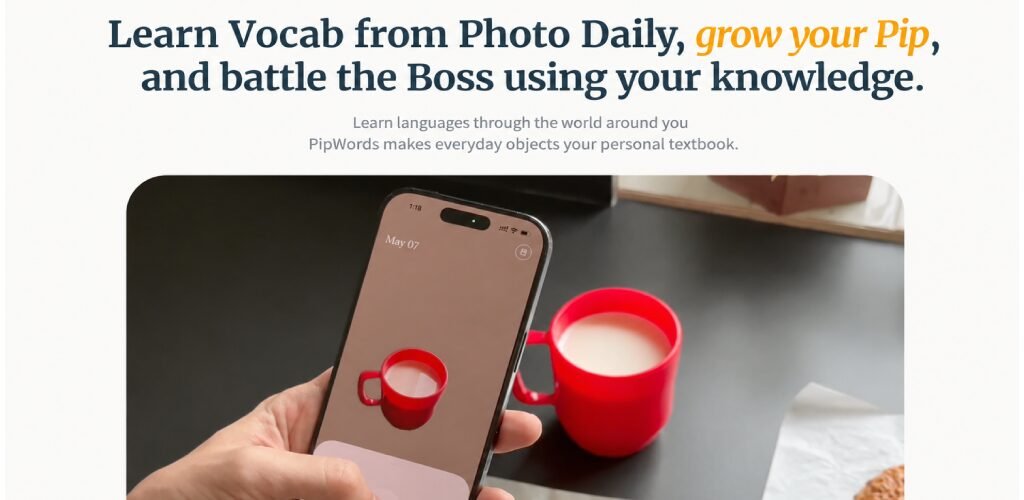
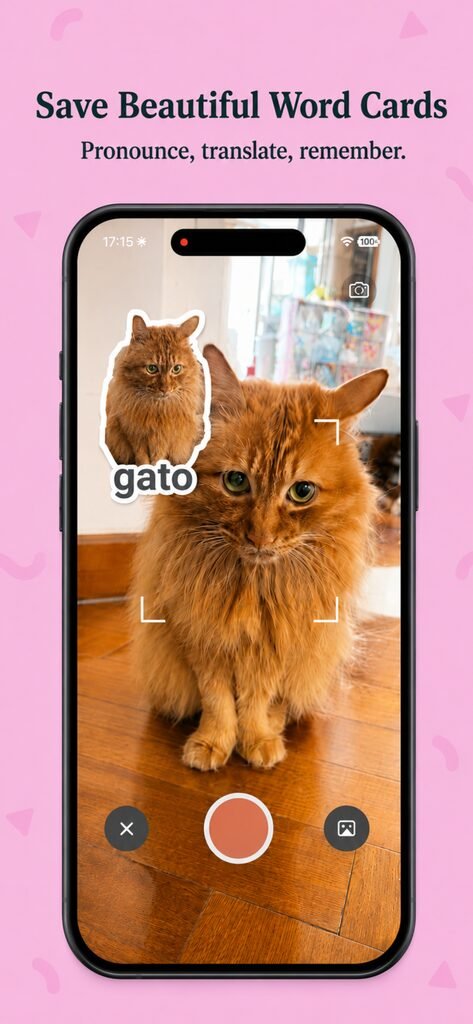
PipWords starts the same way: point, snap, and in about 2 seconds you get a cutout sticker of your object with the English word, IPA pronunciation, audio and a translation in one of 17 languages. The difference is everything that happens afterwards. Captured words feed a daily quest trail of roughly three minutes, then return inside eleven mini-games. Progress carries a companion, Pip, along a road through five lands, and at each land’s gate a boss blocks the way: the first, Nibbles the Gate Snail, appears on day one; Nova the Star Dragon waits at the end. Every boss fight is a vocabulary exam built from the words that learner personally caught, disguised as a fight with medals, titles and confetti.
Choose PipWords if: you are on Android; you are buying for a child and the real problem is whether they will keep going; you want visible proof of learning to show a parent; or you want the interface in Arabic with proper right-to-left layout, Spanish or Portuguese rather than English only.
Choose something else if: you want a purely minimal adult tool with no game layer at all: the quests, bosses and companion are the heart of PipWords, not an optional skin. It teaches English; it is not a general 27-language word tool.
Free to download on iPhone and Android, and new users get a welcome offer for a limited time. No ads, no data selling, and shares export only the cutout, never the photo of your home.
2️⃣ CapWords: the award winner it is fair to compare against
CapWords AI: Photo Vocabulary is the app that made this category visible. Snap an object, it becomes a sticker-style card with the name, pronunciation and example sentences; there is a word bank, spaced repetition review, progress tracking and export. It supports 27 languages and handles image processing on the device rather than uploading your photos to a server.
Where CapWords wins: language coverage far beyond English, on-device privacy, exceptional visual craft, and an Apple Design Award that no marketing budget can buy. For a self-directed adult learner it is an excellent choice.
Where you may need an alternative: it is an iOS app, so Android households need another option; and it is designed as a calm personal tool rather than a game, which is the right decision for adults and a harder one for an eight-year-old who needs a reason to come back on Thursday.
3️⃣ Google Lens + Google Translate: free and everywhere
Lens identifies almost anything and Translate reads text in a huge number of languages, both free, both already installed on most phones. As a lookup tool this combination is unbeatable value.
The catch: it is a search engine, not a teacher. Nothing is saved as a card, nothing comes back tomorrow, there is no pronunciation practice tied to your own objects and no progress at all. Learners who rely on Lens alone typically look up the same word several times and never own it. Use it as a dictionary; pair it with something that remembers.
4️⃣ Apple Visual Look Up: already on the iPhone
Take a photo, swipe up, and iOS will often identify a plant, a landmark, a breed of dog. Combined with Live Text it is a capable, private, zero-install identifier that many people forget they own.
The catch: it identifies in your phone’s language and stops there. No vocabulary collection, no review, no learner progress, and coverage is strongest for nature and landmarks rather than everyday household objects. Excellent for curiosity, not a course.
5️⃣ Quizlet and picture dictionaries: the structured options
Quizlet has no object camera, but you can attach images to cards and it remains the strongest tool for a fixed list: a school unit, an exam, 200 words by Friday. Its testing modes are more rigorous than any word-camera app’s.
Picture dictionaries such as PicVoc-style apps on Android give you ready-made illustrated sets by topic, usually offline and often free with ads. They are a sensible starting point for absolute beginners who need the first few hundred words in a defined order. What they cannot do is make the vocabulary personal: the pictures are someone else’s, which is precisely the gap the camera fills.
A combination many families settle on: a word camera for daily curiosity and motivation, plus Quizlet when a school test appears. The two do not compete.
🎯 Choose in 30 seconds
- Buying for a child, or on Android → PipWords
- Adult learner on iPhone, many languages, no game → CapWords
- Want free, right now, no install → Google Lens or Apple Visual Look Up
- A test on Friday → Quizlet
- Complete beginner needing a fixed path → a picture dictionary, then move to a camera app
Conclusion
There is no single best photo-vocabulary app; there is a best one for the person holding the phone. CapWords set the standard for adult learners on iOS. Free tools from Google and Apple answer questions but teach nothing. PipWords exists for the household where the real challenge is not identifying the object: it is getting someone to want to learn again tomorrow.
Next: how AI word cameras work · the 7-day word hunt plan for parents
❓ FAQ: CapWords alternatives
Q: What is the best CapWords alternative?
A: For children, families and Android users, PipWords. It adds a quest road, mini-games and boss exams on top of the camera. For free lookups, Google Lens. For exam decks, Quizlet.
Q: Is there a CapWords app for Android?
A: CapWords is an iOS app. If you need the same photo-to-word idea on Android, PipWords runs on both iPhone and Android.
Q: Is PipWords a CapWords clone?
A: No. Both turn photographed objects into word cards, and CapWords deserves credit for popularising that idea. PipWords is built around a game (a five-land quest road, eleven mini-games, boss battles that are secretly exams, and a companion that grows) and focuses on English with 17 translation languages, on iOS and Android.
Q: Which is better for a 7-year-old?
A: A child-focused app with a reward loop. PipWords was designed for exactly this: quests of about three minutes, a companion to raise, and gentle failure so a wrong answer never feels like a test.
Q: Are there free photo vocabulary apps?
A: Google Lens and Apple Visual Look Up are free but do not teach. PipWords and CapWords are both free to download: try each one and keep the one that gets opened on day four.
Q: Do these apps upload photos of my home?
A: Policies differ, so check each one. CapWords states it processes images on the device. PipWords uses only the cut-out object: shares contain the sticker, never the original photo or its background.
Q: Which app supports Arabic, Portuguese or Spanish speakers best?
A: PipWords ships 12 interface languages including Arabic with full right-to-left layout, plus Spanish and Portuguese, and shows word meanings in 17 languages. CapWords covers 27 languages overall: compare using your exact pair.
Q: Can I use two of these together?
A: Yes, and many people should: a word camera for daily motivation, plus Quizlet or a picture dictionary when a syllabus or test demands a fixed list.
🧑💻 About the Author
PipWords: the AI word camera
Published by the maker of PipWords, an independent studio run by a parent-developer. We publish comparisons that name our competitors’ strengths because a family that installs the wrong app for their situation stops learning altogether. Competitor details were checked against the App Store listing and capwords.app in July 2026; features and prices change, so verify before subscribing.
Corrections welcome: support@pipwords.site.